X-ray your Claude Code context
ContextViz points at your local ~/.claude/projects and shows exactly what
fills the context window — with cache economics, redundancy, and a file time machine.
Everything runs on your machine; nothing leaves it.
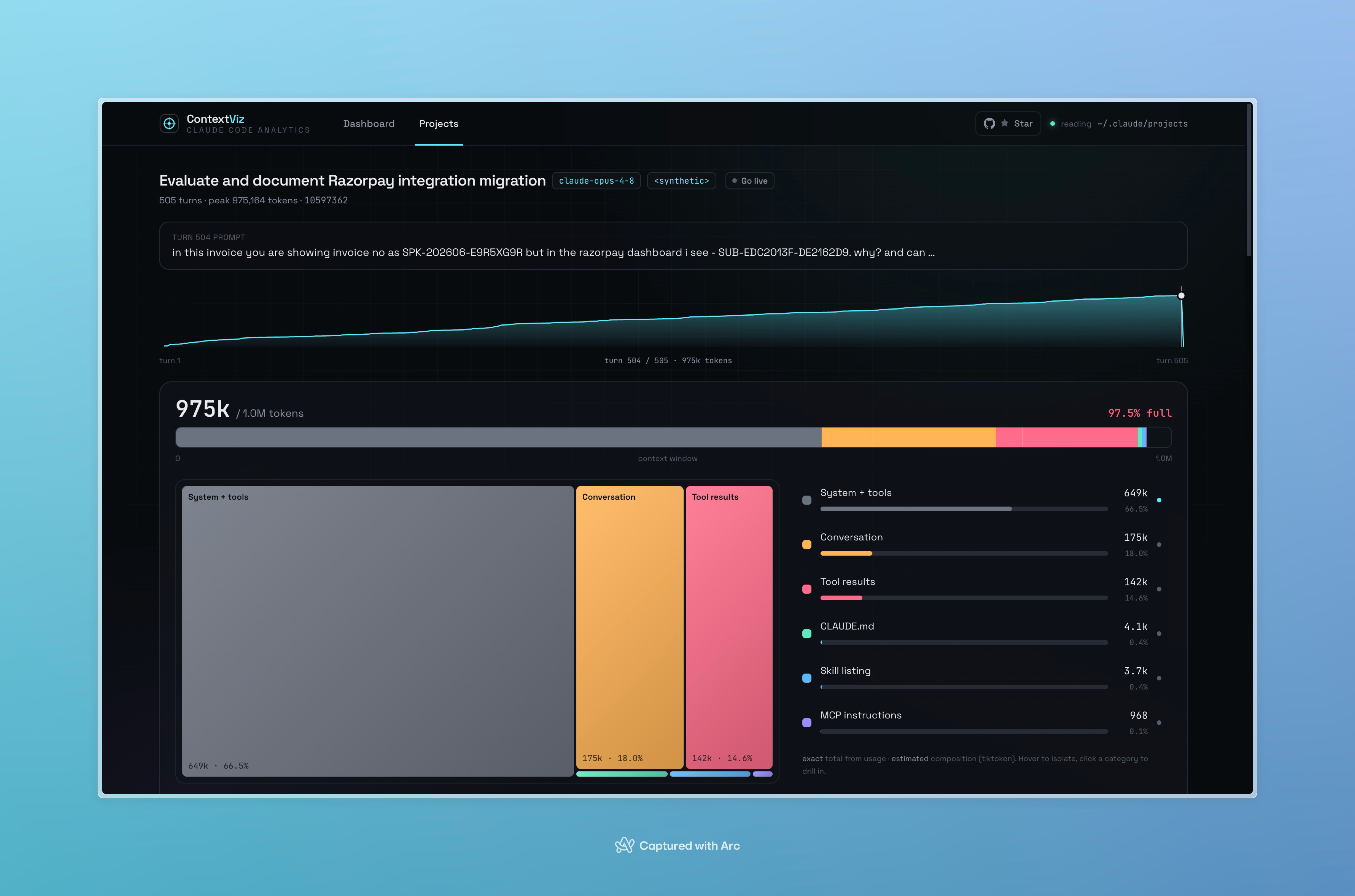
Context X-ray
See the system prompt, MCP, skills, CLAUDE.md, history, tool results, thinking, and images — reconciled to the exact per-turn total.
Redundancy Radar
Find content you paid to carry more than once, priced by its carry cost.
File Time Machine
Every version of every file a session touched — diff and restore states git never saw.
Subagent explorer
The hidden cost of spawned Agent/Task runs: model, peak context, dollars, tool count.
Cache economics
Cost, dollars saved by prompt caching, hit rate, and a per-turn waterfall.
Live-tail
Go live and watch the X-ray refresh as the active transcript grows.
See it
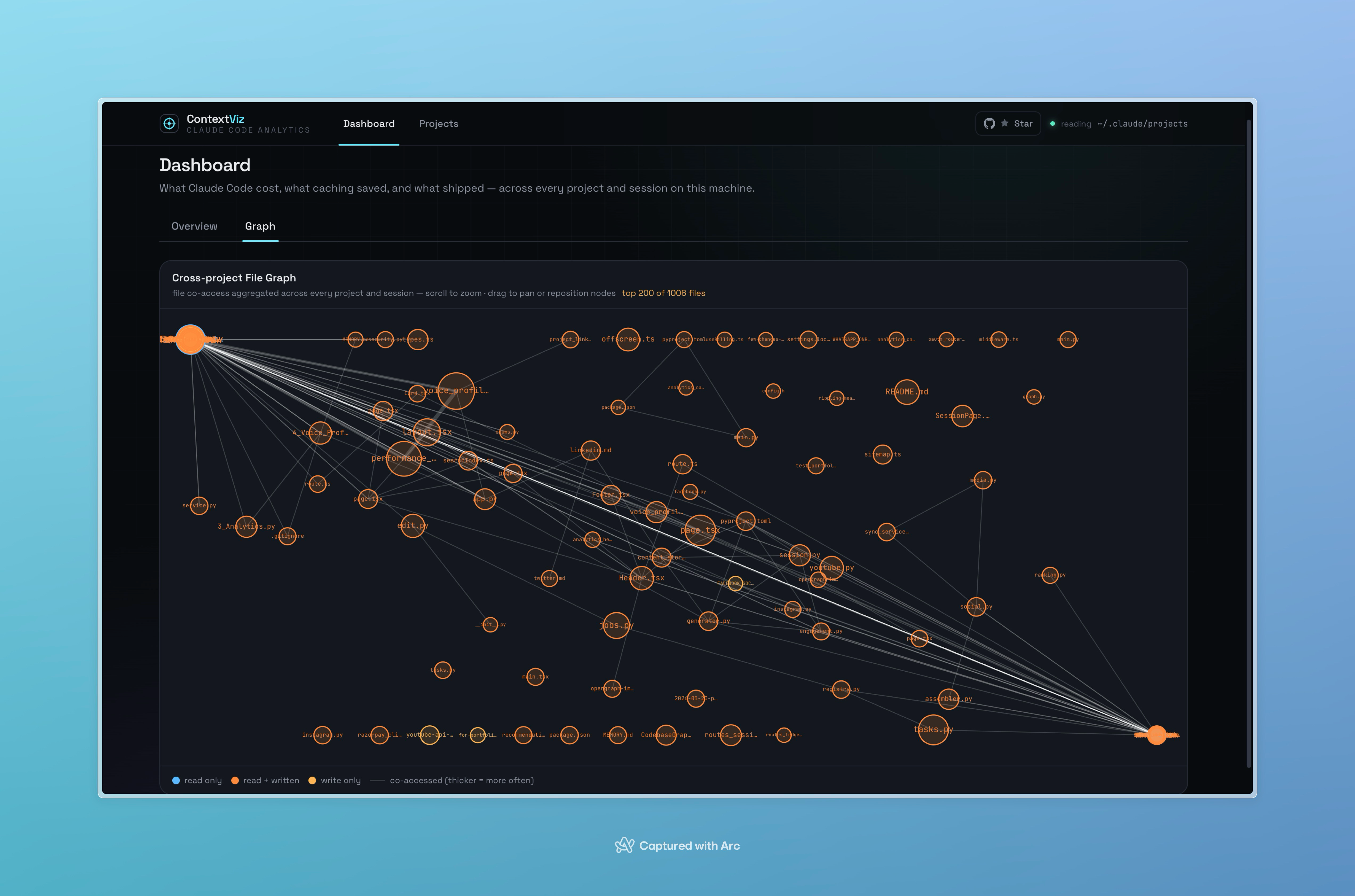
NewCross-project file graph — every file Claude touched across all your sessions, visualized as a force-directed network.
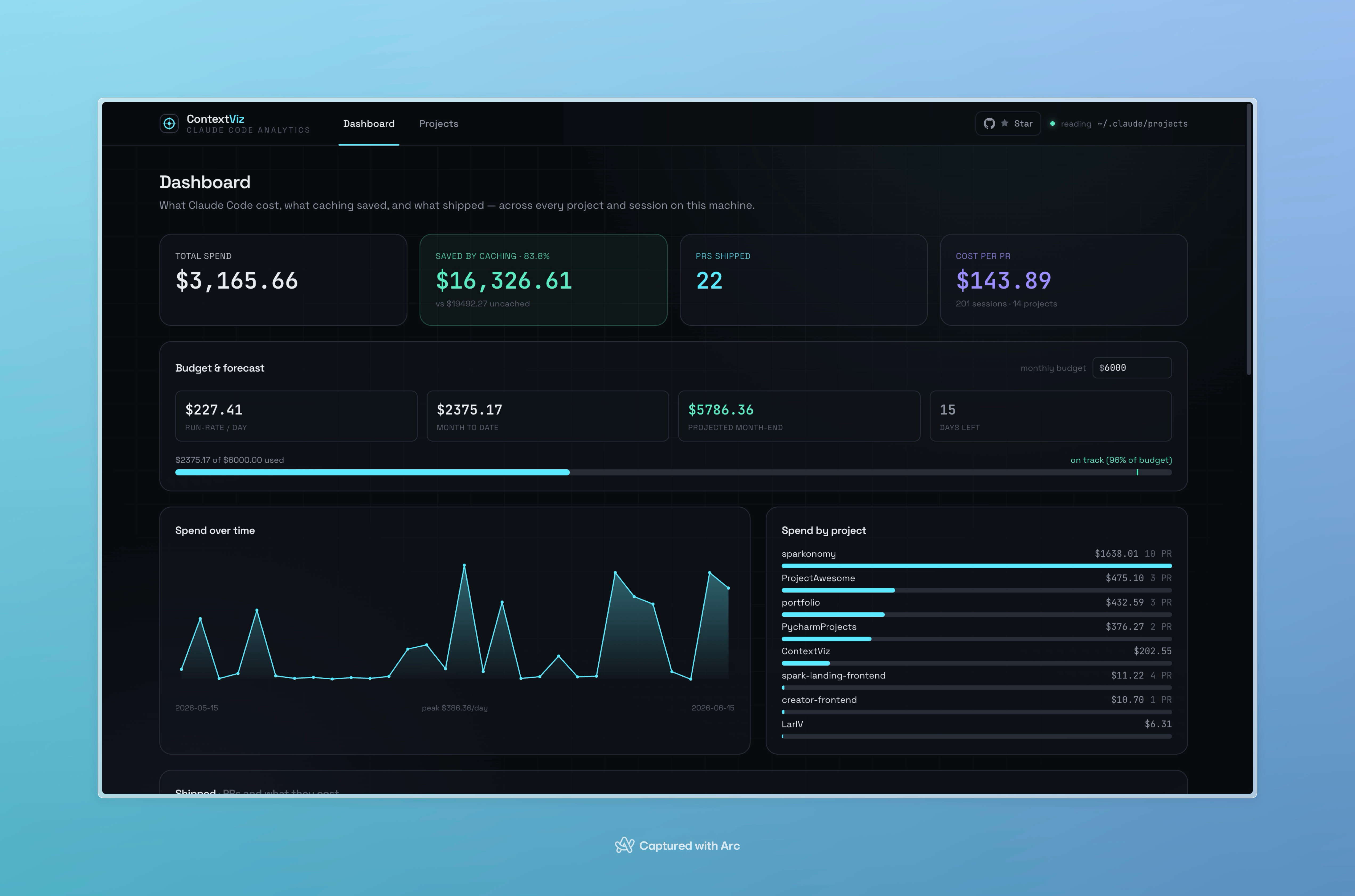
Impact Ledger — spend, dollars saved, PRs shipped, and a budget forecast.
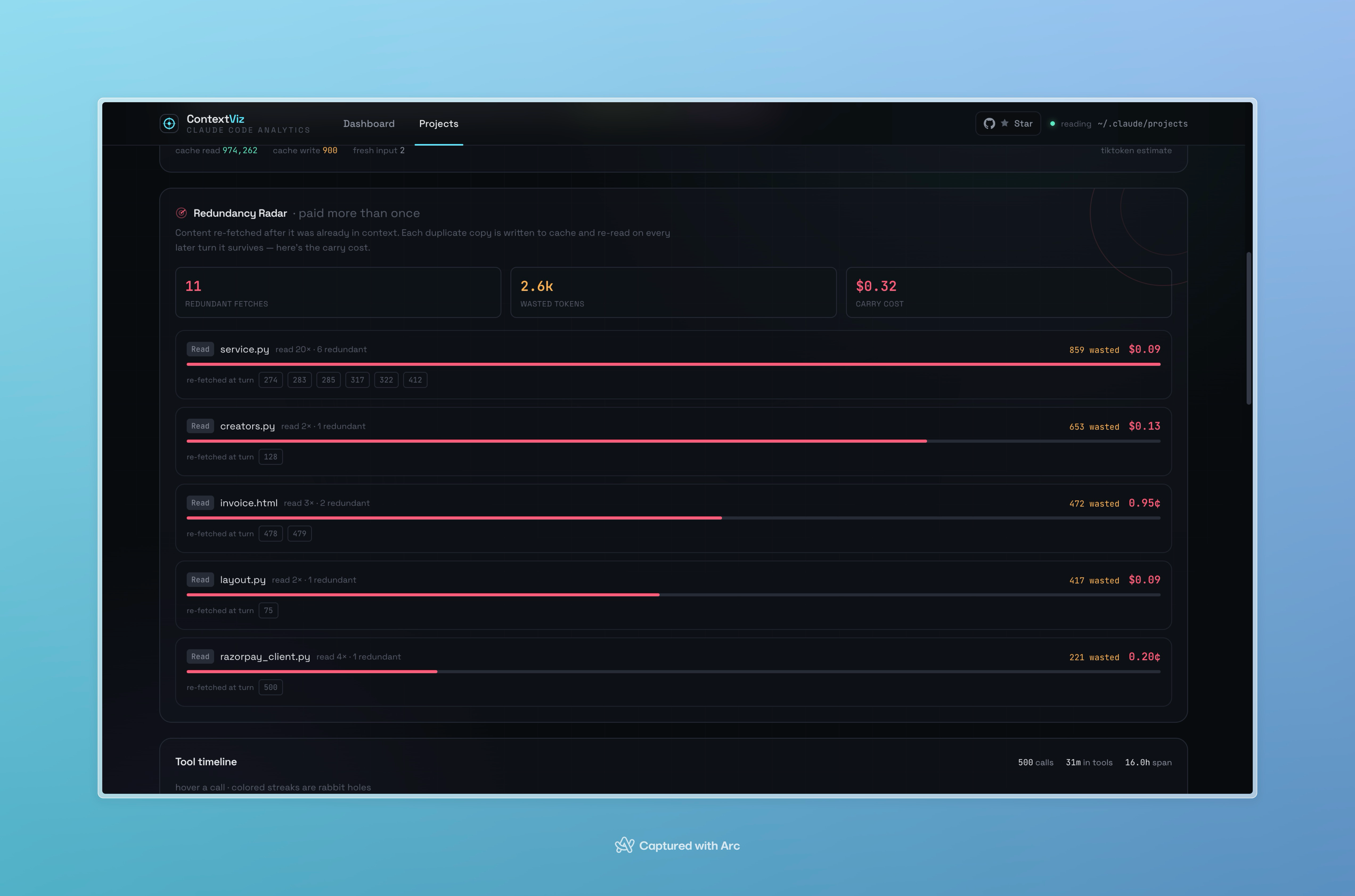
Redundancy Radar — content you paid to carry more than once, priced by carry cost.
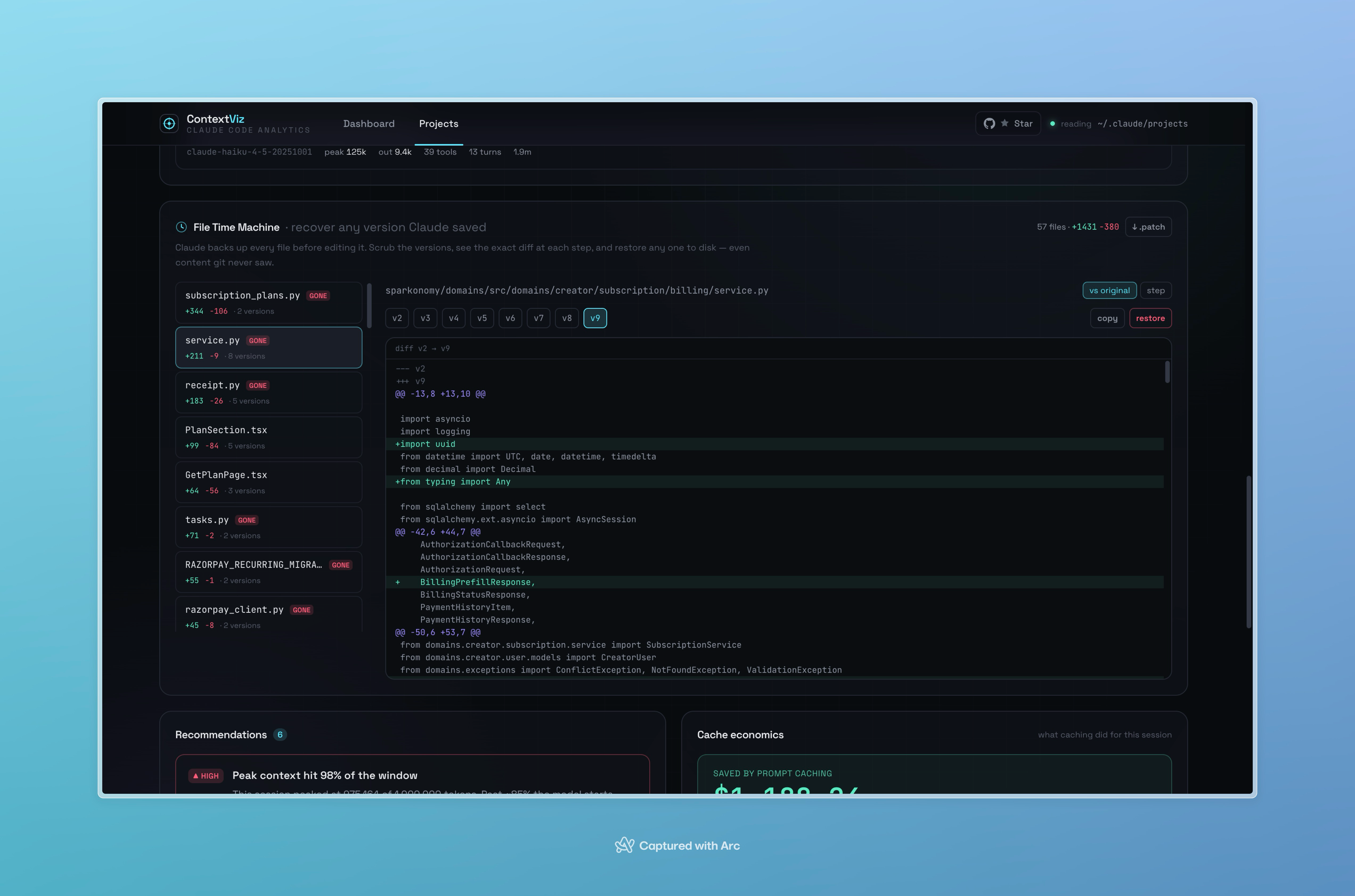
File Time Machine — every version a session saved, with diff and restore.
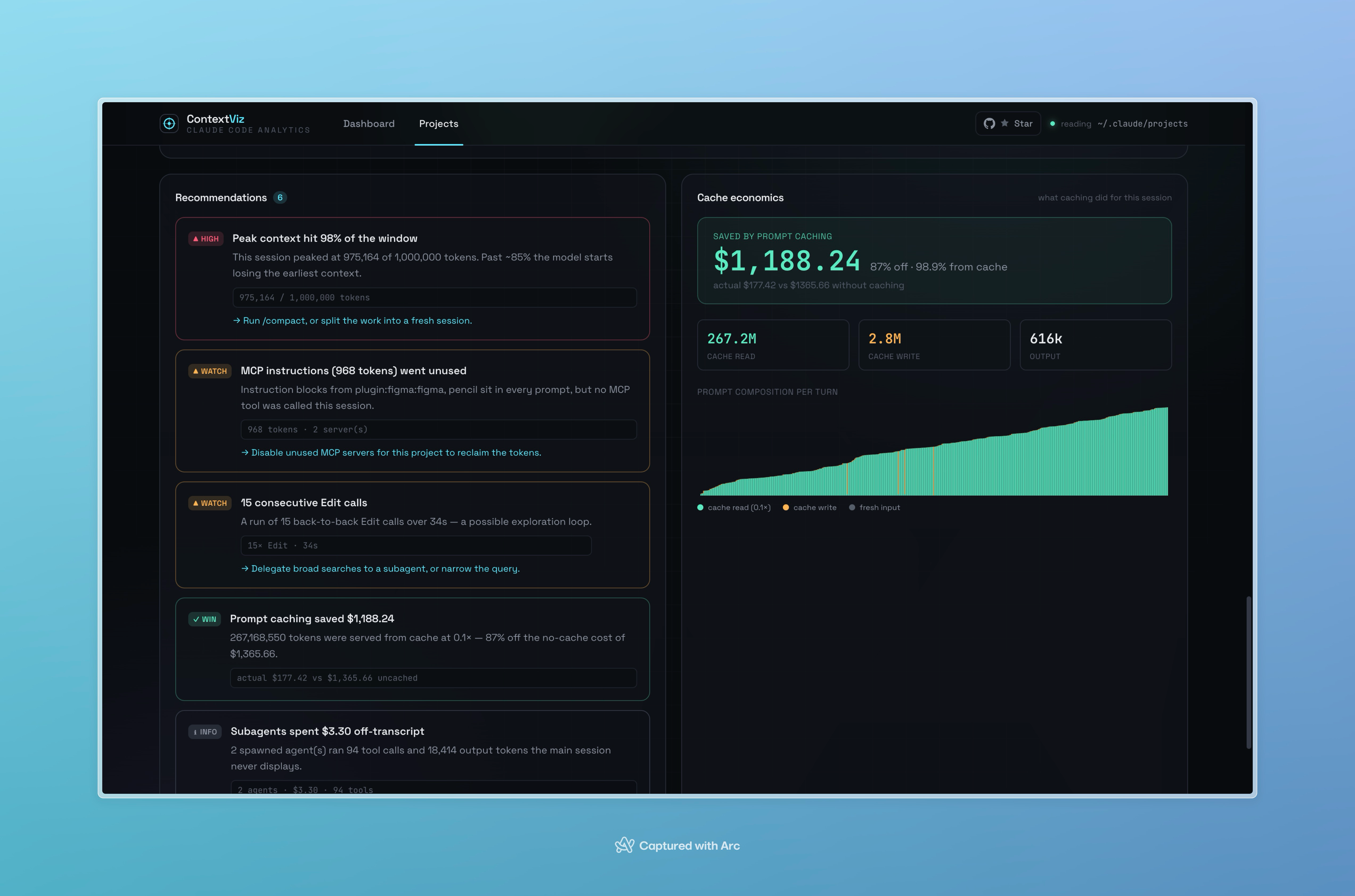
Ranked recommendations alongside cache economics.
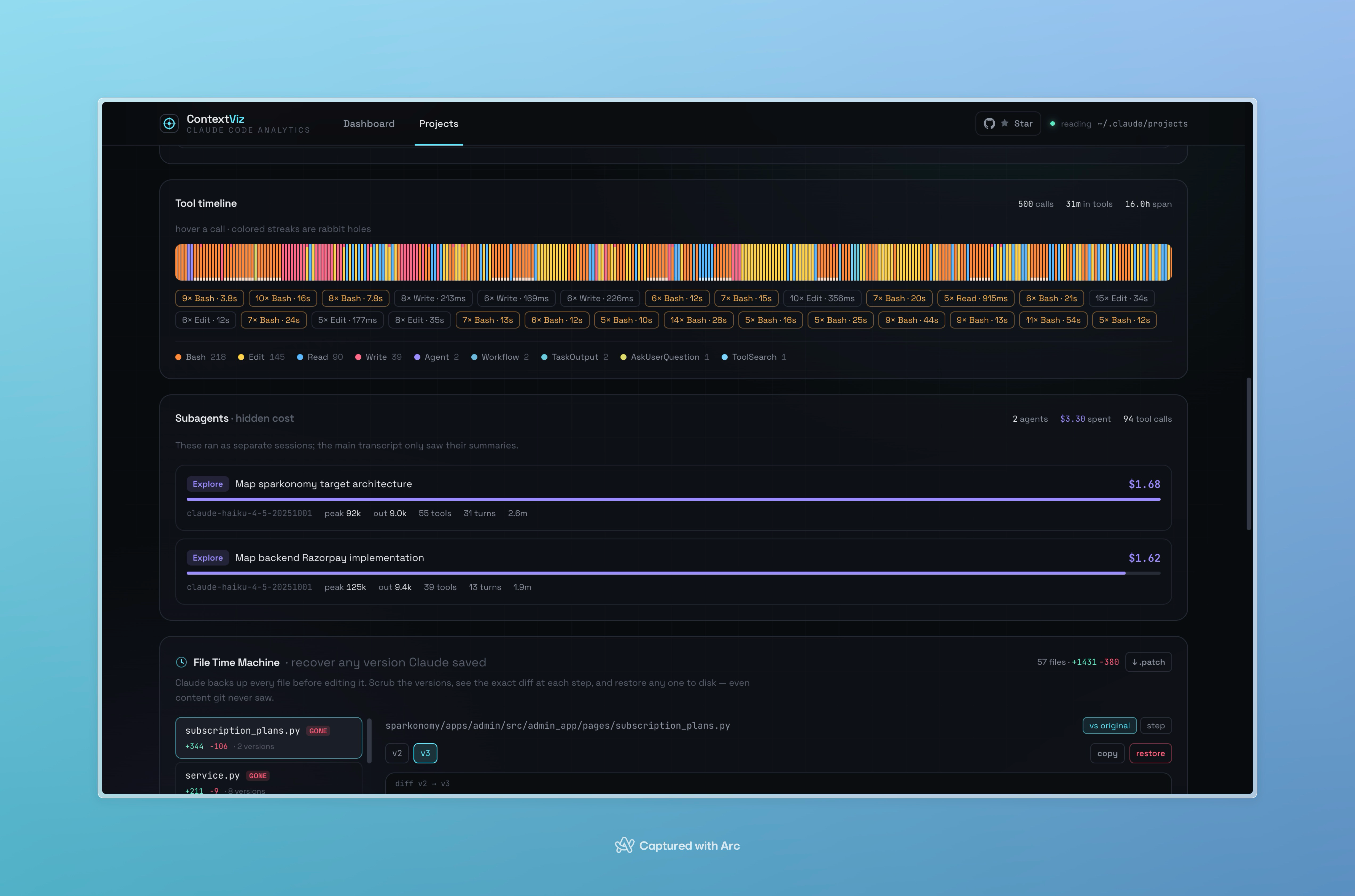
Tool timeline and the hidden cost of spawned subagents.
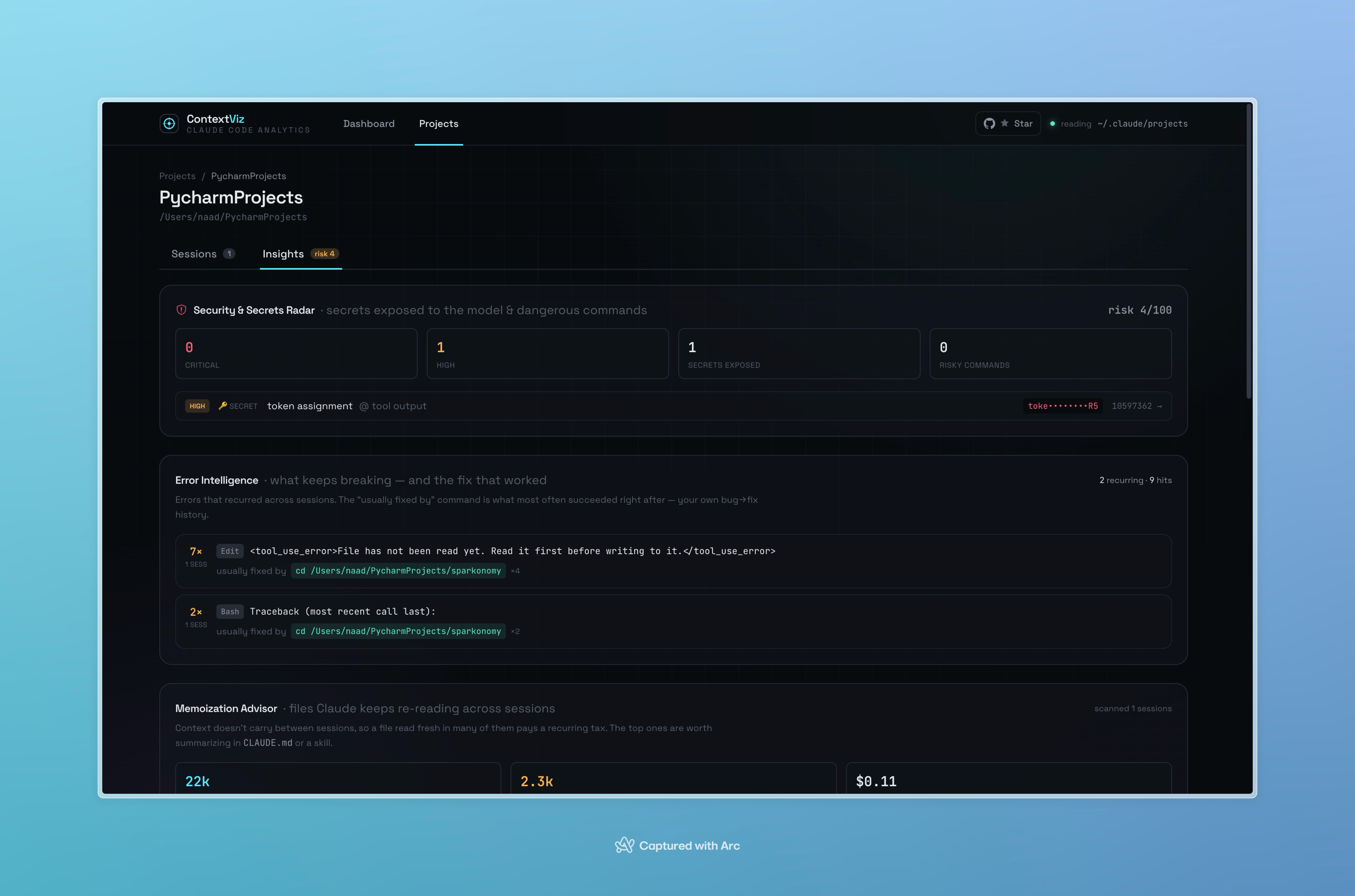
Project insights — Security Radar, Error Intelligence, Memoization Advisor.
Install via terminal Higher Success
curl -fsSL https://raw.githubusercontent.com/last-brain-cell/ContextViz/main/install/install.sh | shDownloads a dependency-free binary, then run contextviz.
curl -fsSL https://raw.githubusercontent.com/last-brain-cell/ContextViz/main/install/install.sh | shInstalls to ~/.local/bin, then run contextviz.
irm https://raw.githubusercontent.com/last-brain-cell/ContextViz/main/install/install.ps1 | iexRun in PowerShell, then run contextviz.
pipx install contextviz
contextvizRequires Python 3.11+. pip install contextviz works too.
~/.claude data and never sends it anywhere.
Download the app
Native installers — double-click to run, no Python or Node required.
All builds live on the latest release.